Author Archive

How Students Grow Digital Literacy Skills for a Safer Online Future by Emily Graham

Tuesday, November 17th, 2026

Graham
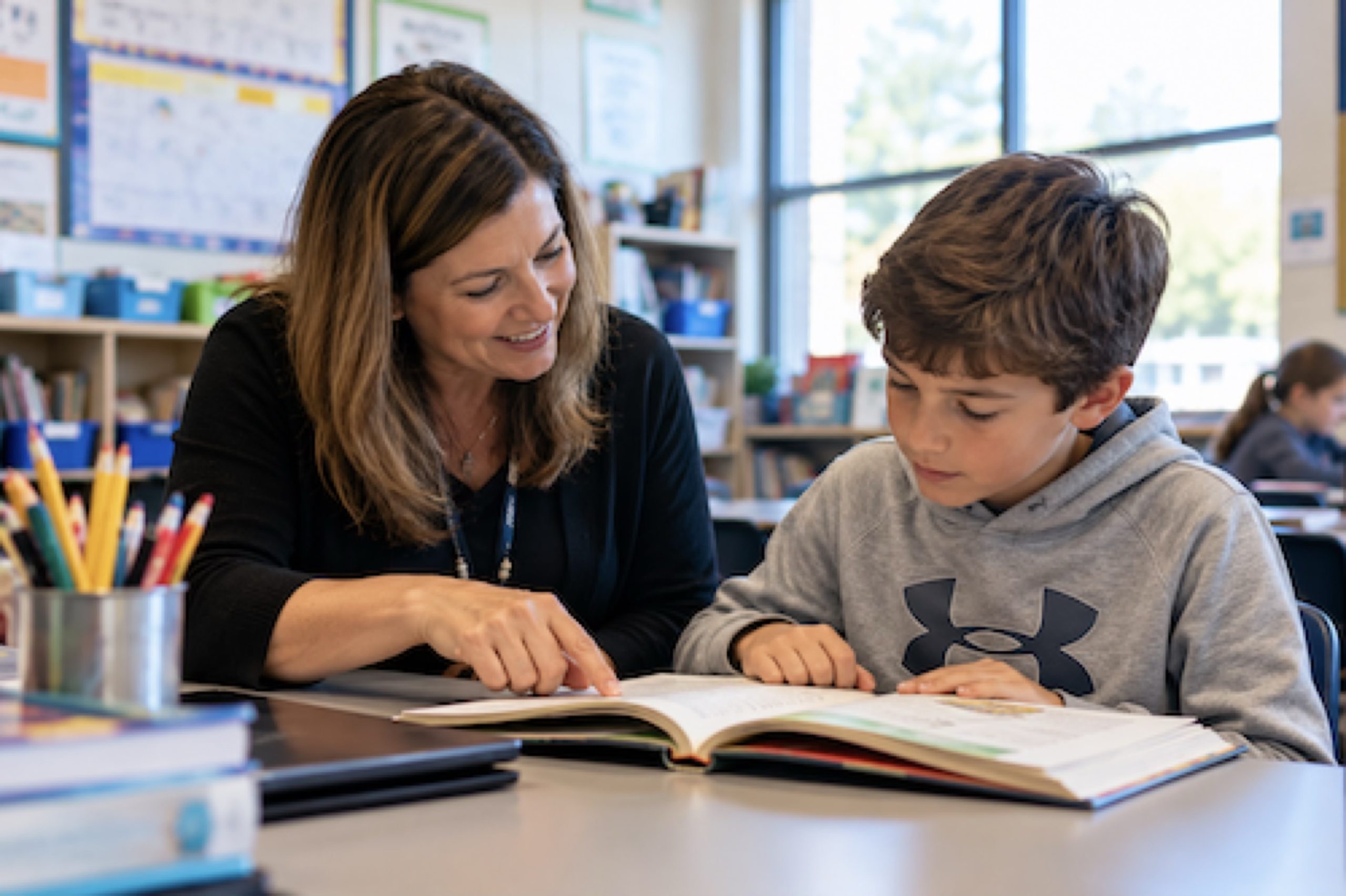
Image via Pexels

How Students Grow Digital Literacy Skills for a Safer Online Future

For busy parents and caregivers of middle school students and high school students, screens can feel like a daily negotiation with unclear rules and high stakes. The tension isn’t just screen time, it’s the mix of online safety challenges students face, from misinformation and privacy missteps to social pressure that follows them home. At the same time, modern school technology education is shifting from basic computer use toward digital literacy skill-building that helps students make smarter choices in real situations. When schools and families share a common language around responsible technology habits, digital life becomes more manageable.

Understanding What Digital Literacy Really Includes

Digital literacy is more than knowing which app to open. It means students can use technology safely, effectively and responsibly while also practicing online safety, critical thinking, and respectful digital communication. In daily schoolwork, “good” looks like choosing appropriate tools, checking sources, protecting personal information, and collaborating clearly.

This matters because these habits shape what students click, share, and believe when no adult is watching. Strong digital literacy helps them avoid privacy mistakes, spot questionable claims, and handle group projects without drama or misunderstandings.

Picture a student building a slide deck from online articles. They pause to evaluate information, cite sources, and rewrite a summary in their own words. Then they message teammates with clear roles and timelines instead of vague texts. With those basics in place, AI assisted visuals can become a safe, teachable storytelling tool.

Build Stronger Multimedia Presentations With AI-Generated Visuals—Responsibly

Once students understand the building blocks of digital literacy, they can start using them together in the kinds of media they actually share and present. Multimedia presentations give students a place to blend research with visuals, audio, and collaborative storytelling, so a topic isn’t just “reported,” it’s explained in a way an audience can follow. For example, a team might write a short narrative script based on what they’ve found, then design supporting visuals by using a text-to-image tool like this free AI picture generator for class presentations. Students can start with a clear written description, then refine what the tool produces by adjusting style, lighting, color, mood, and composition, or by adding reference images to guide the look.

Just as importantly, they practice evaluating what they generate, checking for accuracy, noticing possible bias or stereotypes, and choosing images that fit the assignment’s expectations for appropriate use. From there, the same skills carry into more structured classroom projects where the work is built and improved together.

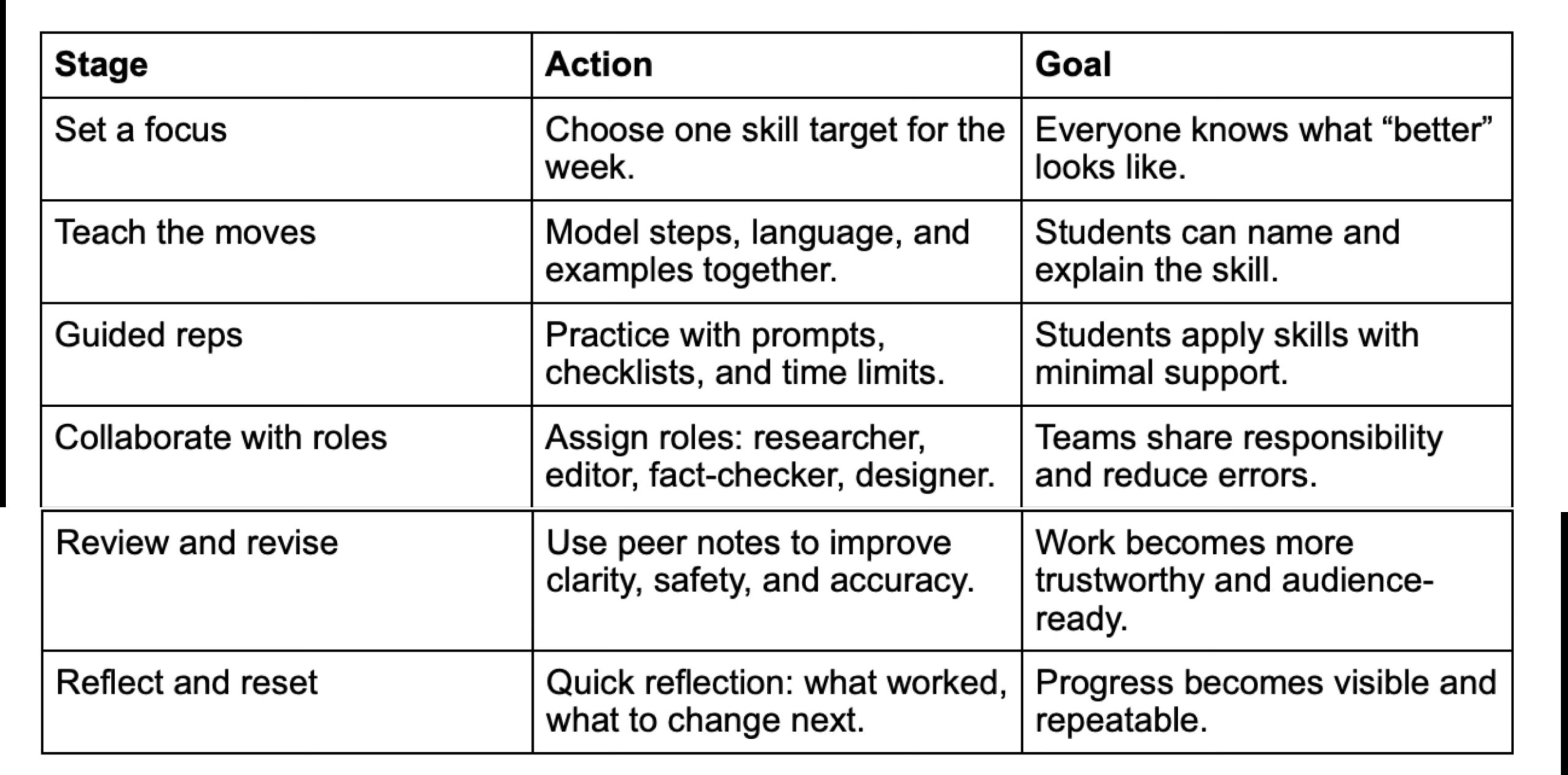
Teach → Practice → Collaborate → Reflect

To keep these skills growing, use a simple, repeatable rhythm. This workflow helps students move from learning concepts to applying them in real digital spaces, then improving with feedback. It matters because online safety is less about one “perfect” lesson and more about steady habits that transfer across apps, assignments, and group work.
Graham

This sequence builds momentum: instruction creates a shared standard, practice makes it usable, and teamwork reveals gaps students miss alone. Regular review and reflection turn mistakes into teachable patterns, which is why schools increasingly invest in tools that support engagement across projects, reflected in the growing student engagement platform market.

Small Digital-Safety Habits Students Can Repeat

Digital literacy sticks when it becomes automatic, not occasional. These small practices turn safety, accuracy, and kindness into default behaviors students can carry across new apps and group projects.

Pause Before You Post

  • What it is: Take a 10-second pause to check audience, tone, and personal details.
  • How often: Daily
  • Why it helps: It reduces oversharing and prevents impulsive messages.
  • Weekly Privacy Check-In

  • What it is: Review app permissions, location sharing, and who can message you.
  • How often: Weekly
  • Why it helps: It keeps settings aligned with real-life boundaries.
  • Two-Source Verification

  • What it is: Confirm a claim using two reliable sources before sharing or citing.
  • How often: Per assignment or big claim
  • Why it helps: It builds accuracy and reduces misinformation spread.
  • Co-Use Screen Time

  • What it is: Be visibly around for a few minutes during device use.
  • How often: Daily
  • Why it helps: It normalizes asking for help when something feels off.
  • Tech-Free Reset Window

  • What it is: Protect one routine block as tech-free time.
  • How often: Weekly
  • Why it helps: It strengthens attention and makes online choices more intentional.
  • Build Digital Literacy Habits That Keep Students Safe and Ready

    Screens aren’t going away, and families often feel caught between learning opportunities and real online risks. The most reliable path forward is a shared, steady approach, schools modeling responsible digital citizenship through educational technology, and families reinforcing the same expectations at home. Over time, students gain the benefits of digital literacy: better judgment, stronger communication, and future-ready digital skills that prepare them for confident technology use. Digital literacy turns everyday screen time into safer choices and stronger futures.

    Emily Graham

    Emily is the creator of MightyMoms.net. She believes being a mom is one of the hardest jobs around and wanted to create a support system for moms from all walks of life. On her site, she offers a wide range of info tailored for busy moms — from how to reduce stress to creative ways to spend time together as a family. You can email her at emilygraham@mightymoms.net. She lives in Arizona.

    Share this:
    Share this page via Email Share this page via Stumble Upon Share this page via Digg this Share this page via Facebook Share this page via Twitter Share this page via Google Plus

    AI’s New Tricks / Dyslexic Instruction / Feedback and Iteration / 1 Million Robots / Accept AI or Else / After You Flush / Good Kid Medicine / Zero Sum Education 11/16/2026

    Monday, November 16th, 2026

    I post content as I find it, with the date of the top post in the headline. These are free Resources for Busy Parents and Educators Who Don’t Have as Much Time to Read and Surf as I Do. Be sure to check out my book summaries, too, and share them with your older children.

    Try the bottom “select language” button for your favorite language or one you are trying to learn. If you don’t see it, check your ad-blocking software.


    10 Things AI Can Do That Most People Have No Idea About –
    These are not predictions about the future. They are real AI discoveries that have already happened. 10 Things You Didn’t Know via YouTube

    Reading
    The goal isn’t to make school easier for students with dyslexia. Students with dyslexia need evidence-based, explicit reading instruction delivered with enough frequency and intensity to make a difference. Dr. Benjamin N. Powers, The Southport School & The Dyslexia Foundation via eSchool News

    X10
    Forget the Test: Why Feedback and Iteration Should Replace Traditional Assessment – What if we moved away from traditional tests and grades as the default method of assessment and embraced something far more powerful—observation, feedback, and iteration? X10 Publications


    How Amazon Uses 1 Million Robots to Process 600,000 Orders Every Hour
    – This 12-minute video is worth a look for kids entering the workplace. Mido Explained via YouTube

    AI
    Google Search in Schools: Accept AI or Lose Access. Can schools allow students to use it without also allowing its AI features? Under Google’s announced approach, that choice won’t be available for school-managed K–12 student accounts. What is your school doing? Kasey via Shake Up Learning


    What Happens After You Flush? Inside the Hidden Sewer System – Visiting a sewage treatment plant is a great field trip. I did it a lot when I was teaching science. The Invisible Order via YouTube

    Teens
    Letting Teens Take Charge of Their Health Care Is Good Medicine – How stepping out of the exam room helps prepares your teen for adult independence. Deanna Duff via ParentMap

    Cheating
    Cheating is not the problem–it’s a solution (in a zero-sum educational system). We need innovations to reinvent schooling around a positive-sum mindset–and eliminate the breeding ground for cheating oneself out of learning. Michael B. Horn, Clayton Christensen Institute via eSchool News

    Art
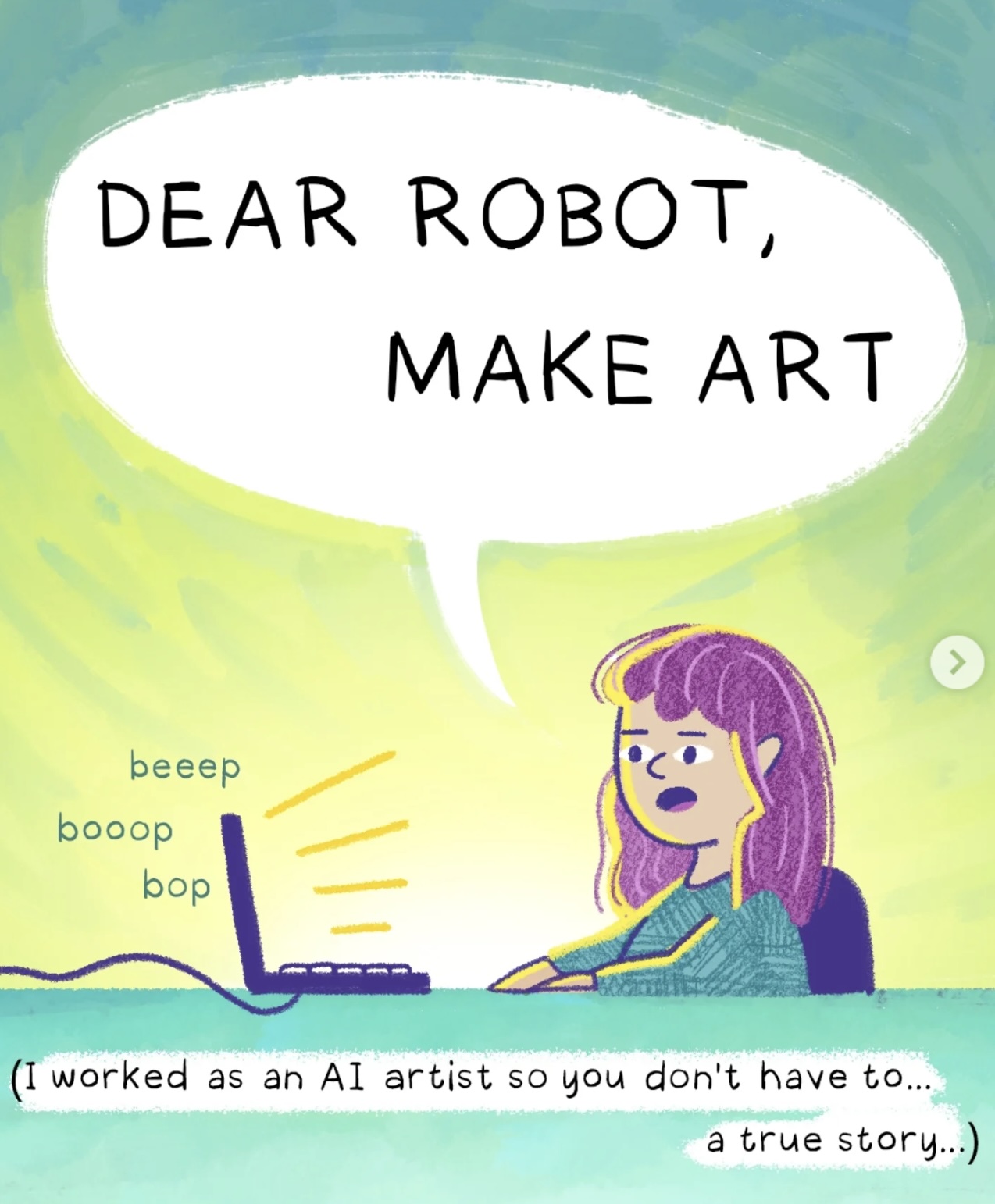
    Dear Robot, Make Art. This delightful cartoon tells the story of an artist who was asked to use AI. It’s funny, touching, and insightful. If you see a box at the beginning, just close it. Scroll left to read the story. amymariestad via Instagram @amymariestad on X.

    Porn
    How to Keep Violent Porn Out of Your Home and Away From Your Kids – Parents often really underestimate the extent to which their own children are likely to have seen pornography. How about you? @FoodieScience @MindShiftKQED


    What School of Rock Got Right about Education – One of the very best ways to motivate kids to learn is through the pursuit of their interests and development of their talents. Teachers must see this movie. @s_n_farley @middleweb


    5 tips to improve your critical thinking – Samantha Agoos – Share with students who may not know what critical thinking is. @Pockless


    The Science Behind Long Walks and Longevity – I walk a lot and am never sick. How about you? @HealthyLivingON


    Elon Musk’s Incredible Speech on the Education System | Eye Opening Video on Education. All teachers and students should watch this. @elonmusk
      

    Jooble

    Recent Book Summaries & My Podcasts

    The Anxious Generation: How the Great Rewiring of Childhood I Causing an Epidemic of Mental Illness by Jonathan Haidt – @JonHaidt
    AI
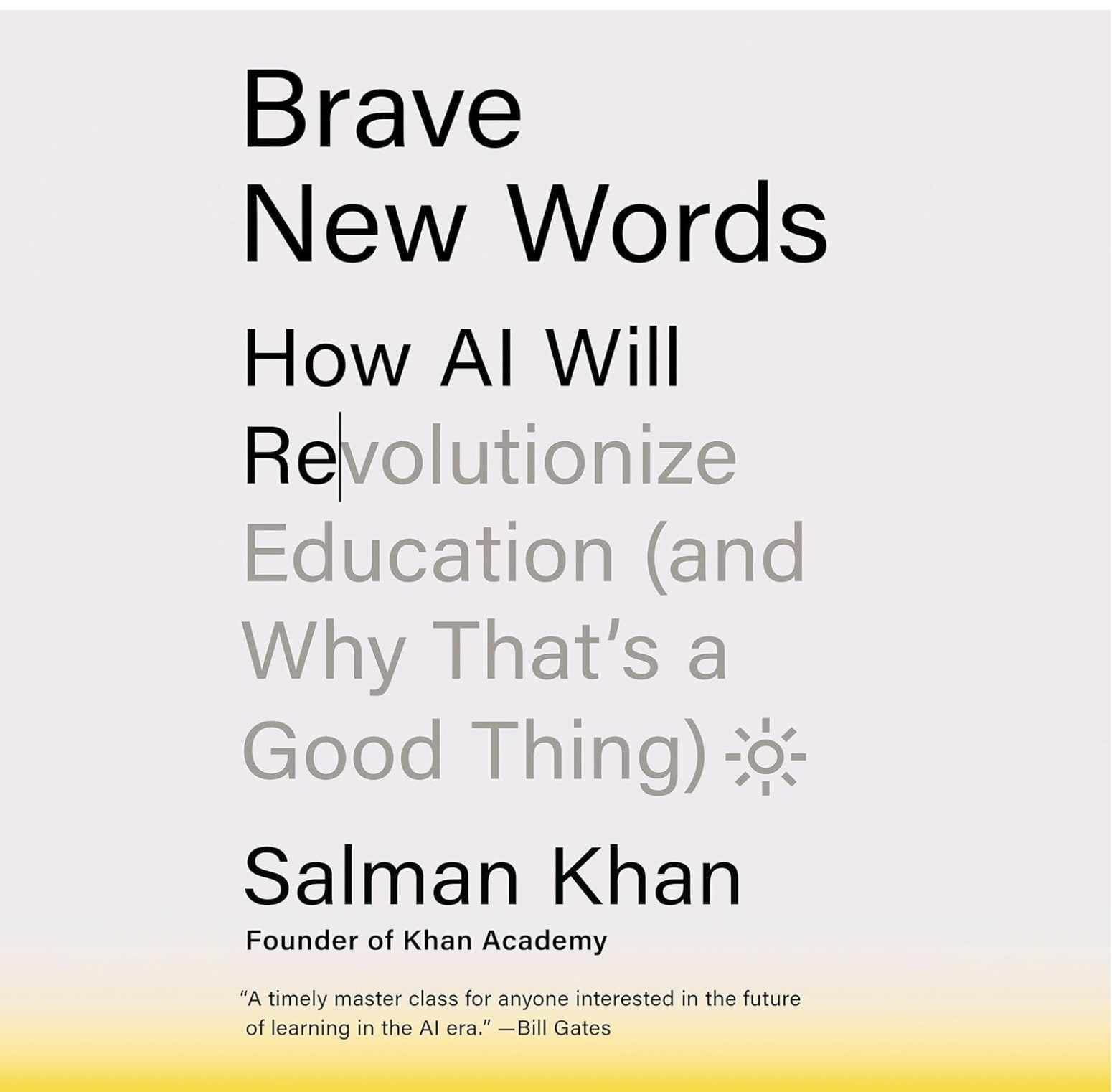
    Brave New Words: How AI Will Revolutionize Education (and Why That’s a Good Thing) by Salman Khan
    Building Thinking Classrooms in Mathematics Grades K-12: 14 Teaching Practices for Enhancing Learning by Peter Liljedahl
    Influence: The Psychology of Persuasion by Robert Cialdini@RobertCialdini
    Valedictorians at the Gate: Standing Out, Getting In, and Staying Sane While Applying to College by Becky Munsterer Sabky
    Plays Well With Others: The Surprising Science Behind Why Everything You Know About Relationships Is (Mostly) Wrongby Eric Barker
    How to Raise Kids Who Aren’t Assholes: Science-Based Strategies for Better Parenting from Tots to Teens by Melinda Wenner Moyer
    My Post-Pandemic Teaching and Learning Observations by Dr. Doug Green Times 10 Publications
    The Power of Regret: How Looking Backward Moves Us Forward by Daniel Pink
    Limitless Mind: Learn, Lead, and Live Without Barriers by Jo Boaler 
    The Future of Smart: How Our Education System Needs to Change to Help All Young People Thrive by Ulcca Joshi Hansen
    Cup of Joe
    Listen to Dr. Doug on the “Cup of Joe” podcast. I recorded it last week. On it, I talk about the many good things I have seen in schools doing hybrid teaching. @PodcastCupOfJoe @DrDougGreen @BrainAwakes
    This is my podcast on the Jabbedu Network. Please consider listening and buying my book Teaching Isn’t Rocket Science, It’s Way More Complex. Here’s a free executive summary. @jabbedu @DrDougGreen
    Boys and Sex: Young Men on Hookups, Love, Porn, Consent, and Navigating the New Masculinity by Peggy Orenstein

    Share this:
    Share this page via Email Share this page via Stumble Upon Share this page via Digg this Share this page via Facebook Share this page via Twitter Share this page via Google Plus

    How to Turn Your Educational Expertise Into a Thriving Online Course Business by Emily Graham

    Friday, October 23rd, 2026

    Graham
    Image by pexels
    How to Turn Your Educational Expertise Into a Thriving Online Course Business by Emily Graham is aimed at experienced teachers who want to turn their experience into a thriving business. While the process is somewhat complex, Emily offers step-by-step advice and answers common questions. You can also email her if you wish to know more.

    Classroom educators, tutors, trainers, and instructional coaches seeking income diversification often face the same tension: deep expertise and proven results, but limited time and pay that doesn’t rise with effort. Online course entrepreneurship offers a realistic way to package what educators already teach into a focused learning experience that can reach beyond a single school, district, or client list. The real challenge is turning messy, experience-based knowledge into a clear course offer while staying confident about ownership, pricing, and visibility. With the right mindset around educational product development, that expertise can become a practical digital learning business opportunity.

    Quick Summary of the Course Business Blueprint

  • Start by mapping a clear course creation process from expertise to structured, teachable lessons.
  • Protect your work by learning intellectual property basics before publishing or selling content.
  • Set course pricing with intention and pair it with practical marketing moves to drive enrollment.
  • Build an audience steadily using audience-building techniques that support long-term course sales.
  • Understanding the Foundations of a Course Business

    A thriving online course business starts with the basics: how to design outcomes and lessons, how to price, how to market, and how to protect what you create. That last piece matters because intellectual property rights cover the ideas, inventions, and creative expressions people treat as property. Once those foundations are clear, a simple business plan framework helps you define your goal, positioning, and the numbers that must work.

    This matters because it prevents expensive guesswork. You stop chasing tactics and start making choices that fit your time, audience, and income target. It also keeps you from underpricing, overbuilding, or launching without a repeatable way to attract students.

    Think of it like opening a small bakery. You would lock in recipes, costs, pricing, and how customers will find you before turning on the ovens. The plan is your checklist that turns expertise into a predictable operation.

    Decide If an LLC Fits Your Growing Course Business

    Once your course business plan starts turning into real revenue and real responsibility, it’s worth thinking about how you’ll protect yourself while you grow. Forming an LLC can help online course creators separate personal and business assets, adding a layer of liability protection and creating a more professional foundation as your education business becomes more sustainable. It can also simplify how you present the business to partners and service providers because the company, not you personally, is the operating entity. From a tax perspective, an LLC typically uses pass-through taxation, which means profits are reported on the owner’s personal tax return rather than being taxed at the corporate level.

    If you decide an LLC makes sense for your online course business, the formation steps generally include choosing a registered agent, filing Articles of Organization, creating an operating agreement, and applying for an EIN. With that foundation in place, you’ll be in a stronger position to move into the practical work of building, pricing, and selling your course.

    Build, Price, and Sell Your Online Course Step by Step

    This process helps you turn what you already know into a course people will buy, without getting stuck on tech, pricing, or promotion. It matters because a simple, repeatable workflow keeps your course business moving even when life is busy.

  • Step 1: Outline a clear course promise and lessons
    Start with one specific learner outcome, then break it into 4 to 8 bite-sized modules that build in order. Draft each lesson as: problem, explanation, example, quick win. This keeps content focused and prevents you from over-teaching or rewriting forever.
  • Step 2: Create content fast, then improve with feedback
    Choose one format you can produce consistently, such as slides plus voiceover, a worksheet-driven mini course, or short videos. Record a “version 1” for a small pilot group, collect the questions they ask most, and then re-record only the parts that confuse people. Iteration beats perfection because it gets you to sell sooner.
  • Step 3: Protect your work with simple IP boundaries
    Decide what students are allowed to do with your materials, such as personal use only, no reposting, and no sharing logins, then place that language in your checkout and welcome email. If you are licensing content or collaborating, use a written agreement guided by an intellectual property rights licence so ownership and permitted use are not vague. This reduces misunderstandings and makes your course feel more professional.
  • Step 4: Set pricing using one primary offer and one upsell
    Pick a straightforward core price based on the transformation and the time you save learners, then add one optional next step such as a Q and A session, template pack, or coaching add-on. Keep discounts limited and time-bound so you do not train your
    audience to wait for a sale. This approach makes revenue more predictable and reduces constant relaunch pressure.
  • Step 5: Choose two marketing channels and a burnout-proof schedule
    Commit to one audience channel you can sustain, such as short videos, a weekly blog, or live workshops, and pair it with email so you can keep in touch directly. Many creators lean on email because email marketing ROI can be strong, especially when you send helpful lessons and a clear invitation to your course. Batch content weekly, automate onboarding emails, and outsource one low-skill task at a time to scale without exhausting yourself.
  • Online Course Business Questions

    Q: What if I’m not “techy” enough to build a course?
    A:
    You do not need to be tech-savvy to start. Pick one simple delivery method such as recorded slides, downloadable lessons, or live sessions on a familiar platform. If you can email a PDF and host a video, you can launch a first version.

    Q: How do I avoid legal trouble with my materials and student access?
    A:
    Use clear checkout terms that state personal-use-only, no sharing logins, and no reposting. Keep your sources clean by using your own examples or properly licensed assets, and store permissions in a folder you can find later. When in doubt, get a short review from a qualified professional.

    Q: How should I respond when someone says my course is too expensive?
    A:
    Treat handling price objections as a normal part of selling, not a sign your idea is bad. Re- anchor on the outcome, the time saved, and who the course is best for. If it still feels high, add a payment plan or a smaller starter offer.

    Q: Why isn’t my marketing working even though my course is good?
    A:
    Most often, the message is unclear, not the course. Tighten your promise into one sentence, share one helpful tip repeatedly, and invite people to a single next step like an email list. Give it two to four weeks of consistent posting before you judge results.

    Q: When can I scale without burning out?
    A:
    Scale after your first students finish and you know what they struggle with most. Because the $375 billion by 2026 opportunity attracts competition, your advantage is tightening delivery and support. Start by automating onboarding and batching content before adding new products.

    Publish Your First Lesson and Build a Sustainable Course Business

    It’s easy to get stuck between knowing a lot and wondering how to package it without wasting time or underpricing yourself. The steadier path is sustainable education entrepreneurship: start small, validate with real learners, and improve as you go rather than waiting for perfection. Applied consistently, starting an online course business becomes a repeatable system for
    educational expertise monetization and transforming knowledge into income that supports long- term course business success. One published lesson is worth more than a perfect course outline.

    Emily Graham

    Emily is the creator of MightyMoms.net. She believes being a mom is one of the hardest jobs around and wanted to create a support system for moms from all walks of life. On her site, she offers a wide range of info tailored for busy moms — from how to reduce stress to creative ways to spend time together as a family. You can email her at emilygraham@mightymoms.net. She lives in Arizona.

    Share this:
    Share this page via Email Share this page via Stumble Upon Share this page via Digg this Share this page via Facebook Share this page via Twitter Share this page via Google Plus

    How to Start Your Teaching Career: A Clear, Practical Guide by Emily Graham

    Saturday, October 10th, 2026

    Graham 1

    How to Start Your Teaching Career: A Clear, Practical Guide by Emily Graham

    is a good place to start if you have an interest in making teaching your next career. If you know graduates who can seem to get a career started, suggest that they consider teaching. It was a great career for me.

    Aspiring teachers, career changers, recent grads, and parents returning to work often feel strong motivations for teaching, then hit the same wall: turning that calling into a real teaching profession role can feel confusing and high-stakes. The teacher career path has clear checkpoints, but the education requirements for teachers vary by state, grade level, and subject area, which makes it easy to second-guess every decision. With the right overview, the steps stop feeling like a maze and start looking like a plan. This is the starting point for seeing a clear route into the classroom.

    Quick Summary: Starting Your Teaching Career

  • Start by meeting education degree requirements for your chosen teaching pathway.
  • Choose a grade level that fits your strengths and preferred classroom environment.
  • Select a subject specialization that matches your interests and long-term goals.
  • Follow required teacher certification steps to qualify for classroom teaching.
  • Prepare a focused teaching job application to begin your classroom search.
  • Map Your Teacher Prep Plan with a Simple Mind Map

    Once you’ve got the core steps in front of you, the next challenge is keeping all the coursework, requirements, and milestones from feeling like one big pile. AI study tools can take some of that mental load off as you work through education classes, helping you review teaching theories and classroom strategies, generate study materials from what you’re learning, and prepare for exams and student-teaching assignments. One especially practical option is an AI mind map generator: you can upload PDFs, documents, notes, or other study materials, and the tool analyzes them to pull out the main ideas, supporting points, and how concepts connect.

    Instead of rereading the same pages and hoping the structure “sticks,” you get a visual map you can scan, review, and organize, often making complex material feel clearer and more manageable. If you want to try turning your own course readings into a structured map, you can dive in with an online mind map generator and use the result as your planning snapshot for what to study next. With your ideas laid out, it’s easier to make the big choice of where you’ll focus, starting with your grade level and subject area.

    Choose Your Grade and Subject Focus With Confidence

    This quick decision path helps you choose a teaching direction that fits how you work best and how you actually live day to day. Getting specific now saves you from taking extra classes, chasing the wrong certification, or landing in a role that drains you.

    Step 1: List your nonnegotiables and energizers

  • Start with a simple two column list: what you need (schedule, commute limits, income timing, energy for evenings) and what you enjoy (coaching, mentoring teens, hands-on projects, structured routines). Include family and lifestyle realities, like whether you prefer a predictable day or you can handle frequent plan changes. This becomes your filter for every option that follows.
  • Step 2: Compare elementary vs secondary by daily rhythm


  • Choose elementary if you like teaching many subjects, building routines, and being a steady anchor all day. Choose secondary if you love going deep in one subject and can handle faster transitions, stronger opinions, and multiple class groups. If you are unsure, picture a typical Tuesday, not a highlight reel.
  • Step 3: Check whether special education is your best fit


  • Special education can be a great match if you value collaboration, patient problem-solving, and progress that comes in small wins. Try a low-risk test drive by talking with a special education teacher, volunteering, or observing to see how you feel about paperwork, team meetings, and adapting lessons. Your goal is not to decide forever, just to see if the day-to-day work fits you.
  • Step 4: Match your subject strength to real classroom impact


  • Pick one or two subjects you can explain clearly, even on a tired day, and connect them to students’ real lives. The lens of rigor, relevance, and relationships can help you sanity-check your choice: can you teach it well, make it matter, and build trust while doing it? If one of those feels like a constant struggle, choose a different lane.
  • Step 5: Confirm your direction with a short trial plan


  • Write a one-paragraph “teaching statement” that names your grade range, subject or specialty, and the kind of classroom you want to run. Then plan two small actions for the next two weeks, like scheduling an observation and mapping the certification steps you would need. If both actions feel doable, you have found a direction worth committing to.
  • Graham 2

    Ready-to-Apply Teaching Job Search Checklist

    This checklist turns your direction into a simple job-search system you can run in short bursts between real-life responsibilities. Use it to avoid missed requirements, stay organized across school district applications, and show up
    confident in interviews.

  • Confirm certification status and backup options like emergency permits.
  • Verify credentials by reviewing the original TEFL certificate and saving proof.
  • Tailor a resume for teachers to match one role and grade band.
  • Collect three references and ask for specific classroom-ready examples.
  • Track school district applications, logins, deadlines, and required attachments.
  • Prepare five stories for teacher interview preparation using real student scenarios.
  • Schedule one observation or volunteer shift to strengthen your talking points.
  • Small, steady steps add up fast when you keep your checklist visible.

    Turn Today’s Prep Into a Real Teaching Career Plan

    Starting a teaching career can feel like a maze of requirements, applications, and decisions, and it’s easy to stall out from sheer overload. The steadier approach is to keep the focus on little, intentional progress, using clear checklists, realistic education career advice, and a simple mindset of “next step, then the next.” When that rhythm is in place, teaching career motivation stays stronger, next steps for teachers feel doable, and long-term teaching goals stop being abstract wishes. One small step beats a perfect plan every time. This week, choose one targeted teacher professional development option and set a specific time to complete it. That kind of steady follow-through builds confidence and creates a career with real stability over time.

    Emily Graham

    Emily is the creator of MightyMoms.net. She believes being a mom is one of the hardest jobs around and wanted to create a support system for moms from all walks of life. On her site, she offers a wide range of info tailored for busy moms — from how to reduce stress to creative ways to spend time together as a family. You can email her at emilygraham@mightymoms.net. She lives in Arizona.

    Share this:
    Share this page via Email Share this page via Stumble Upon Share this page via Digg this Share this page via Facebook Share this page via Twitter Share this page via Google Plus

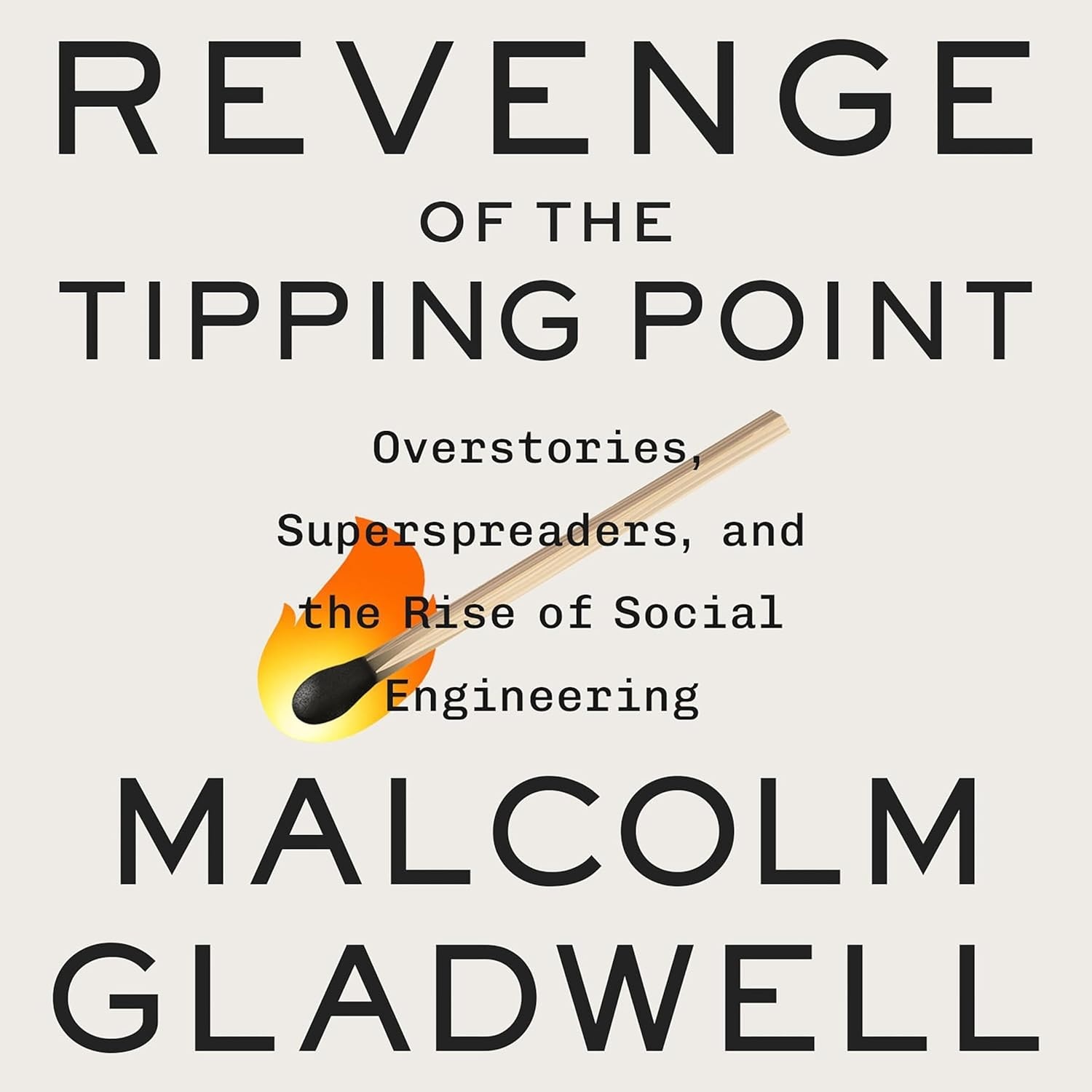
    Revenge of the Tipping Point: Overstories, Superspreaders, and the Rise of Social Engineering by Malcolm Gladwell

    Sunday, October 4th, 2026

    Book
    Revenge of the Tipping Point: Overstories, Superspreaders, and the Rise of Social Engineering by Malcolm Gladwell
    In his latest book, Gladwell tells a number of seemingly unconnected stories that all have some unexpected outcomes. I find Malcolm to be an out standing story teller, which makes this summary less comprehensive than others you will find on the blog. I hope this quick read encourages you to purchase that fine book and that you enjoy it as much as I did.

    1. The Tipping Point for Bank Robberies

    • There are three mysteries here. The first is why were bank robberies so prevalent in Los Angeles in the 1990s but far less so in New York City? The second is why doctors perform abundant forms of a given surgery at one hospital but not at another hospital. Third is why are children in most schools at or near 100% vaccinated while students at Waldorf Schools are closer to 25%?

    2. What Made Miami Change

    • This is the story of medicare fraud in South Florida (Miami). The main character runs a chain of nursing homes that defrauds Medicare for billions. The story also deals with drug money laundering with the cooperation of banks. Thanks to the inflow of drugs and 125,000 people dumped there by Castro in 1980, the nature of Miami changes greatly.
    • Gladwell more or less provides a how-to for setting up a fraudulent medical practice here. The application is easy, but you do need a location of some sort and access to a doctor with a “loose pen.” In the end, the main character gets off with a multi-million dollar fine because he has an “ace up his sleeve.” That ace is a government connection, and it results in a sentence commutation from Donald Trump. Democrat presidents are also noted for this kind of behavior.

    3. The Epidemic in Poplar Grove

    • This is not the name of the town composed mostly of wealthy people with high expectations for their children. For many kids the expectations turned out to be too much and a string of teen suicides followed. It seemed like one suicide caused other kids to think about it and it some cases, they followed through. Here is where a small number can become a tipping point of sorts.

    4. When Does Tipping Happen?

    • A tipping point is a threshold where something that had been one way for generations seems to change overnight. In the case of company Boards, it seems to take three women before a woman can become comfortable in that position. This magic third also shows up for other tipping points. Once a black population reaches about one third in a school, the black students start performing as well as the white students.

    5. Rugby at Harvard

    • Here Gladwell points out why elite schools like Harvard had so many teams for Olympic sports. In order to give a child training in these sports, it takes a lot of money. If you help your kid develop in a sport like squash, sailing, or rugby, they have a better chance of getting into an elite school than if they relied on their grades and test scores alone.
    Share this:
    Share this page via Email Share this page via Stumble Upon Share this page via Digg this Share this page via Facebook Share this page via Twitter Share this page via Google Plus