

I hope you find this piece interesting in it’s own right, but it also an example of how one might analyze a particular data set. Here are the data sources for the Men’s Olympic Field and the Women’s Olympic Field if you want to give them to some students and ask for their own analysis.
I just looked up the fields for the Olympics and they are both stinkers. Due to the STUPID system to select players, countries can have up to four players if they are in the world top 15. The men’s field in particular, is also impacted by top players choosing not to go due to the Zika virus and their work load. On the men’s side, that’s the US. On the women’s side, that’s South Korea. Other countries can only have two. This means that they have to dig deep into the talent pool to get golfers who aren’t the 3rd best or higher in their country.
In the men’s field, the 60th and last qualifier is the legendary Mexican Rodolfo Cazaubo checking in at number 330 in the world. He is one of eight golfers in the 300’s who are joined by eight in the 200’s, and 13 in the 100’s. That means that 29/60 or almost half are not in the top 100 and only eight of the top 25 will be there.
On the women’s side, the 60th qualifier is Victoria Lovelady (I’m not making this up although with a name like that you might not guess that she was a golfer.) who’s world rank is a hefty 456! She is joined by seven others in the 400’s, seven in the 300’s, five in the 200’s, and eight in the 100’s. That is a total of 28/60 not in the top 100 and only 14 of the top 25 made it.
This makes both fields the worst by far of any tournament this year and perhaps ever. It’s good news for our guys Dustin, Jordan, Bubba, and Ricky, who don’t have much competition, but the gold medal will seem a bit tarnished to me. Watch out for Sergio Garcia. (This just in. Number 2 in the World Dustin Johnson isn’t going and will be replaced by number 13 Patrick Reed.)
Recent Book Summaries, Original Work, and Guest Posts
Sweden’s Cashless Economy: Pros & Cons – Great Student Debate Topic @DrDougGreen DrDougGreen.Com
The pressure on teachers to get good test scores makes it inevitable some will cheat. When you create a game, people will play it and here is how. @DrDougGreen @tes
Failing at the business of school – The corporate/political class is failing schools by expecting them to be more like businesses. @DrDougGreen @tes
Are You Smarter Than Bill Gates? If you are an educator you probably know more about education than he does. @DrDougGreen @tes
The Five Best Tools To Wake Up A Creative Kid In You by Veronica Hunt
Sexting Panic: Rethinking Criminalization, Privacy, and Consentby Amy Adele Hasinoff @amyadele
Be sure to try the bottom right translate button for your favorite language or one you are trying to learn. If you don’t see it check your ad blocking software.


Sweden’s Cashless Economy: Pros & Cons – Great Student Debate Topic
Thursday, July 7th, 2016The Björn Ultimatum: Two Men Fight Over Sweden’s Move to a Cashless Economy by Mallory Pickett covers both sides of the battle to get rid of cash altogether. This would be a good article for students to read and debate. As a Swedish-American who visits Swedish relatives regularly, I’ve seen a number of innovations like this that start there before being adopted in the US. @wired, May 2016 pp. 102-111.

You Rob Banks Because That’s Where the Money Is.
- On April 13, 2013, a man walked into the Stockholm branch of Skandinaviska Enskilda Bankan and announced that “this is a robbery, I want cash.” The staff calmly explained that there was no cash on the premises. The robber was then pointed at a sign that read “This is a Cash-Free Location.” What the robber had not realized was that Sweden was at the forefront of a global economic shift to where cash is increasingly unnecessary and even unwanted. Americans are about half way as 46% of their transactions feature cash as credit card use and mobile payment options expand. Even with concerns about data breaches and identity theft, a world without cash seems inevitable, if not imminent.
In Sweden Tomorrow Happens Yesterday
- With a population half the size of Los Angeles (10 Million) and a sophisticated IT structure, Sweden can pilot-test new developments, new systems, and new futures almost overnight. Ironically, 350 years ago it became the first country to issue paper money. Now it’s on its way to be the first to phase it out altogether. There are Swedes, however, that are fighting this trend. At the heart of this story are two men on opposite sides both named Björn. The first is Björn Ulvaeus, one of the B’s in the famous pop group named ABBA. He is also half the brains behind the Mama Mia franchise that has made him a very rich man. In 2008, his son’s residence was robbed. Ulvaeus knew that the stolen items would be sold somewhere for cash so he asked himself, “what if there wasn’t any paper money?”
Cash is Anonymous and Crime Requires Cash
- The criminal economy depends on the anonymous, untraceable nature of cash. That explains why a lot of the cash in the world is unaccounted for. The World Banks estimate that about a third of the cash in most countries circulates underground. Take it away and thieves and drug dealers have no way to do business, and the shadow economy collapses. Ulvaeus has written widely on the subject and has gone so far to make the ABBA Museum in Stockholm a cash-free zone. As safe as Sweden is, it is always looking for ways to increase safety.
Just Swish It
- About the same time the ABBA Museum opened, Swedish banks created the Swish mobile phone app. This lets ordinary people transfer money to each other by using their mobile phones. All you need is someone’s phone number. About half of the population is using it so far as are small businesses and even homeless people. Cash transactions fell from 40% in 2010 to 20% in 2014 and more than half of bank branches do not deal in cash. Bank robberies have fallen 70% during that timeframe. Muggings and robberies have dropped as there isn’t much incentive to rob a person or a business that doesn’t have any cash. Tax revenues are also soaring. Ulvaeus hopes other countries will follow Sweden’s example and imagines how great going cashless would be for countries like Greece.
Unexpected Consequences
- A number of odd things have happened. There has been a claim of e-mugging, which happens when someone forces you to Swish them some money, which is easy to trace. Tourists picking up cash at the airport have complained about not being able to spend it. ATM vendors are getting so little business that they are removing many of them. People depositing cash where they still can are viewed with suspicion. Tellers question people with cash and this can be a problem for churches. Hacking is more of an issue than ever. There have been some issues, but nothing major yet.
Björn Number Two
- On the opposite side of the cashless argument is Björn Eriksson, the former chief of Interpol. At 71, he is the same age as Björn Ulvaeus. He claims that the move to a cashless society is being pushed by the banks and credit card companies rather than the people. He is also concerned about corruption, deceit, and security risks. Cards and apps with their hidden fees make banks money whereas cash transactions do not. In fact, cash costs banks money as they have to count, handle, transport, guard, and count it again.
Swedish Nature
- Swedes are not a cynical people. They like technology and trust their government and institutions. Most of them have been happy to renounce cash and for some, the changeover has hardly been noticeable. The seeming thoughtlessness of many Swedes concerns Eriksson. Last year he started Cash Uprising in order to save cash. His supporters are mostly rural, small businesses, and retirees. These are the people who find the disappearance of cash to be inconvenient. People who sell produce, for example, end up with cash their local back won’t take. When they drive to the nearest bank that does take cash, there are limits to what they can deposit at once. For some, the change happened so fast that they couldn’t plan for it.
The Downside of No Cash
- Thanks to Eriksson, the Swedish parliament may vote on a bill to require banks to provide cash services and the head of Sweden’s central bank is on his side. The biggest losers in a cashless society would be the security guards that are hired to protect cash. There is also the issue that when you spend cash, you don’t have to give up personal information. Although muggings and thefts are down, identity theft has more than doubled, and this only counts the incidents reported to the police. Cyber criminals are more active and many consumers have yet to learn how to protect themselves. Eriksson believes that banks are hiding the fact that at this stage even they have lost a lot of money.
The US is Sort of Catching Up
- High profile hacks of the magnetic strips on the back of credit cards at places like Target and Home Depot have resulted in American retailers switching to chip readers. The chips make transactions more secure and the Swedes have had them for more than a decade. When I was there in 2010 I couldn’t even buy gas for my cousin’s car as my card lacked a chip. When I returned in 2014 I made sure I had a chip, but getting it took some effort as my financial advisor didn’t even know what it was. The US version of Swish is also in the works, but it remains to be seen how it will be received. The US also has a ways to go in regard to consumer protection. For now, transactions in the US are stalled at about 50% cash. Don’t be surprised if many Americans cling to their cash with more tenacity than the typical Swede.
My Cousins Weigh In
- Cousin Peter Stockholm (40’s): Lot’s of people are using Swish, both when it comes to transferring between private persons and for smaller cash transfers at markets, cafés, and events. Today we went to an event for kids and all payments (hot dogs, entrance fees, parking, etc) were possible to via Swish. Most smaller stores accept it and a most prefer it. Being Swedish means that you count on the government to take care of you. I like it a lot, it is very convenient and I never lack cash thanks to Swish. I am quite sure you need a population that blindly trusts the authorities. It would be harder for Greece. October last year we got new bills, 200 SEK, 50 SEK and 20 SEK. I still haven’t seen the 200 or the 50 so that’s how often I see cash these days.
- Cousin Martin Borås Western Sweden (40’s): Everybody is using Swish here. It’s a great service that gained millions of users very fast. It’s very common if two friends lunch together, one paying the bill and the other “Swishes”‘ the debt. Swish is also used by all small sports clubs when selling candy, drinks, and hot dogs at games. In Norway, they have a similar service called Vipps.
- Cousins Morgan and Kristina Borås retired (70’s): We use Swish as often we can. It’s a perfect way to pay for what we buy and also to transfer money to others. I think the banks like it too as they always try to earn/steal as much money they can. Unfortunately, some older people are not trusting Swish and still use paper money. I´m sure Swish will take over, but it takes a time to have some people accept it.
Conclusion
- Ultimately, Sweden’s two Björns want the same thing: a safer society. They are not so much rivals and complements. Thanks to their efforts, the US can look to the Swedes for guidance. I have been traveling to Sweden periodically since 1980. Every time I go I see innovations that come to the US in time. In 2010 I helped my cousin take some items to the recycling center. I was amazed at how hi-tech it was along with the degree they expected ordinary people to sort and recycle just about everything. This month I helped my sister clean out her house, which required many trips to the local recycling center. What I saw was an operation that looked a lot like Sweden six years ago. Just like we need to look to places like Finland for innovations in education, we need to look to Sweden for innovations in just about anything. As a Swedish-American, I know my bias is showing, but at least you know where I’m coming from. Skål!
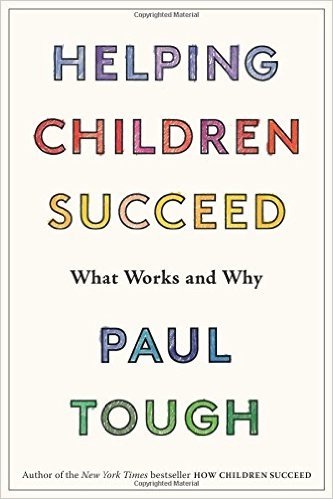
Helping Children Succeed: What Works and Why by Paul Tough
Monday, June 27th, 2016- As of 2013 more than 50% of US students are eligible for a free or subsidized school lunch. As this number continues to climb, the challenge of teaching low-income children can no longer be considered a side issue in American education. Helping poor kids succeed is now, by definition, the central mission of American public schools. Achievement gaps between poor and non-poor kids have remained the same by some measures and increased by others in spite of the fact that closing the gaps has been a government priority for decades. If you work with kids who are growing up in poverty or other adverse circumstances, you know that they can be difficult for teachers and other professionals to reach, hard to motivate, hard to calm down, hard to connect with. This book revisits the research that Paul wrote about in How Children Succeed. It extends his reporting to new discoveries, new models, and new approaches to interventions with children, both inside and outside the classroom.
- Social-science literature is rife with examples of small, high-quality programs that seem to become much less effective when they expand and replicate. Therefore, the aim here is to examine interventions not as model programs to be replicated but as expressions of certain underlying ideas and strategies. The second challenge is to find strategies to address the problems of disadvantaged children. Here we consider the developmental journey of children, and particularly children growing up in circumstances of adversity, as a continuum — a single unbroken story from birth through the end of high school.
- “America’s public schools are being hijacked and destroyed by greed, fraud, and lies.” James Meredith – 1st black students at the University of Mississippi 10/1/1961. This quote sums up the purpose of this book. The authors limited themselves to only 50 and hope that readers will send in some more that do not appear herein. Myths are beliefs in things that may or may not be true. They fill in the void left by ignorance. The focus here is on myths that are untrue and that are having unhappy consequences. Hoaxes are different in that the person pushing them knows them to be dubious or untrue, but also knows that they will greatly benefit the pusher. Liars are different in that they don’t even believe what they are saying. Once again the lies are promoted for someone’s self-interest. The overridding myth is that America’s public schools have failed. The authors do an excellent job showing that this is not the case.
- The focus here are the international tests where the US usually ends up in the middle of the pack. This is where we have been since the first efforts at country sorting where made in the 1960’s so it’s not like we have gone downhill. If you sort out the poor kids our scores are at the top with countries like Finland where poverty is 5%. The fact that the tests are in different languages and use the metric system makes them less valid. Never the less, reformers have used these scores to promote unproven reforms.
- The same test scores are used to show that private schools are better than public schools, but once you take socioeconomic the status of the students into consideration, public schools do better. Private school students are wealthier and whiter. Teachers have more autonomy, better resources, and few students with disabilities and English language learners. They also have less violence and discipline problems as they can control who they accept and who they get rid of. While charter schools are actually public schools, they share many of the same qualities as operators can game the system to control their population. While comparing publics to charters is difficult, the evidence we do have indicates that publics do better. The big reason in my mind is that when compared to public school teachers, charter school teachers are less experienced, less likely to be certified, less well paid, and have higher turnover rates.
- Creativity isn’t a science or a formula. It is one of those things you can’t just buy and use. Developing creativity in yourself is a lifespan job. You need to take frequent small steps to surpass your average results. It takes much patience to overcome obstacles, such as lack of time or strength, someone’s critique, or your own doubts in an. You must realize that creativity is something you are born with, and if you do not use it, you may lose a part of yourself. Fostering creativity, however, in someone else is even more difficult. Thus, if you are an educator or a parent and want your students to use their imagination to provide outstanding solutions, you can’t just assign them a task and expect creativity to flourish. Imagine that creativity is under a heap of gravel and to get it out pulling isn’t enough. Piece by piece you need to uncover it and bring to surface.
- Outside the box thinking and imagination without borders are two essential constituents of creativity. I noticed that usually adults try to place children into a certain framework of standard behavior and rules. Of course, it’s a normal phenomenon since society trys to prevent chaos and self-destructive acts resulting from extraordinary behavior and thinking. However, making an obedient citizen of a child can stifle creativity and the desire to produce something unique.
- When I hear about “suppressed creativity”, I recollect one example of a family I knew once. The mother had an unaccomplished ambition of becoming a singer. She projected this dream on her daughter who didn’t like being in the spotlight at all. She escaped from her family and their cage of restrictions via her creative drawings. Fortunately, the girl had enough willpower to stand her ground and resign from a signing career. Yet not every person endowed with unique creative mindset can resist their family and school that just do not see it in you. That’s why fostering creativity is so important for every person, teacher, and parent.
- For those who are teachers:
Use music or ambient sound in the background to help students concentrate and improve performance.
Engage students in brainstorming ideas, which will help them use different approaches to find solutions.
Separate providing students with new information from creative tasks. Do not mingle both educational processes so as to avoid misunderstanding and confusion.
Motivate your students with counterfactual tasks that will allow them to view a problem from multiple perspectives and think outside the box. - For those who are parents:
Provide space and resources to encourage creative expression.
Don’t evaluate your children’s creative ideas, point out mistakes, or underline fails.
Give your kid more freedom to research something new. Let your child try some extraordinary hobbies or even those activities you consider useless.
Allow your kid to disagree but ask to explain why.
Don’t reward your child for expressing his creativity. Your kid should strive doing that for free. - For those who want to be more creative:
Don’t critique yourself every time you make something new. Just keep on doing that and enjoy this amazing process of discovering your new potential.
Protect this creative kid in you to stay passionate and interested in your own thinking process.
Be patient. It can be easier to tolerate someone’s mistakes than your own.
Be brave and curious about yet unexplored areas of your imagination.
Go for a long walk to relax and unleash your mind.
Let yourself be messy at least once in a while. It will help you to relax, forget about your surroundings and your duties. - Tips may not be enough. You may need some extra tools to express and encourage yourself to develop something worthy. Here are five of the best tools that can wake up a creative kid in everyone.
- BrainPlots
It’s not necessarily to have a group of 6 people to brainstorm new ideas. With the help of Brain Plots you’ll be able to find some unexpected solutions as you work and study. When you tab your ideas in this app, you get suggestions which you can either decline or accept. Then you’ll get a full picture in the form of a TED presentation. - Glogster
This interactive service allows you to work with images, videos, graphics, audio and text in one place. It helps you create a multimedia poster using many creative skills along with critical thinking. Also, this platform develops creative hunger to see the final result of your work. Glogster is a good educational app to complete assignments and projects in a new way. - Studentshare
This service has the largest database (1 000 000+) of essay and research papers uploaded by real students who received at least an A- grade. Using StudentShare you’ll be able to find an effective formula for how to write your next essay with inspiration and no procrastination of your deadline. Plus, you can figure out what resources and references are the most appropriate for your writing task. - Storybird
It is a creative room where writers and readers gather to share their ideas and attitudes on a new story, poetry etc. This educational app certainly promotes thoughtful writing and critical analysis. - Mindtools
This service is targeted at boosting your creativity via special understanding, brainstorming and idea-generating tools. Once you choose the Toolkit category, you’ll see even more features such as Decision Making, Leaderships Skills, Problem Solving etc. Thus, you’ll be able to master the 28 skills and discover new opportunities for your creative world. The main goal of this service is to provide assistance in all stages of the creative process. - If you are seeking a formula to make your creative ability progress, start by planning and outlining what exactly you expect from a certain process. Write down one reason you need to continue creating something after a break even if it’s only to get rid of boredom. Do not restrict yourself with a fixed timeframe since it can make you feel suffocated with a forced creativity. Creative ideas usually come while you process ideas, so what you need is to start creating something that brings you joy and pleasure. Your progress will turn long-term when finished works incite you to the next creative project.
- Veronica is a true edtech expert and a professional blogger with five years work experience. She tries to provide students with up-to-date info on how to improve their study habits. Veronica lives in Delaware, USA..
1. Adversity
2. Strategies
50 Myths & Lies That Threaten America’s Public Schools: The Real Crisis in Education by David C. Berliner, Gene Glass, and Associates
Monday, June 13th, 2016
50 Myths & Lies That Threaten America’s Public Schools: The Real Crisis in Education by David C. Berliner, Gene Glass, and Associates takes on many myths that have support amongst reformers and the media. This is a must read for anyone fighting the madness of our current test-and-punish school reform system. Give a copy to any policy maker you know.
Myths, Hoaxes, and Outright Lies
Myths and Lies About Who’s Best: Charters, Privates, Maybe Finland?
The Five Best Tools To Wake Up A Creative Kid In You by Veronica Hunt
Saturday, May 28th, 2016The Five Best Tools To Wake Up A Creative Kid In You starts with suggestions for parents and teachers who want to foster creativity in their students, their children, or themselves. It then offers five excellent tools that can support the creative process. Be sure to have five people each check out one tool and report back. Thanks Veronica

Introduction
Stay Passionate About Your Project
Guidelines to Help Foster Creativity in Yourself, Your Students or Children
Raise Your Creativity Kid Via Hot-Shot Tools
Make Your Creativity Progress Long-Term

Veronica Hunt
| HOME | DR. DOUG MINES THE NET | BOOK SUMMARIES | DOUG’S ORIGINAL WORK | WHO IS DOUG GREEN? | CONSULTING SERVICES |



powered by
