
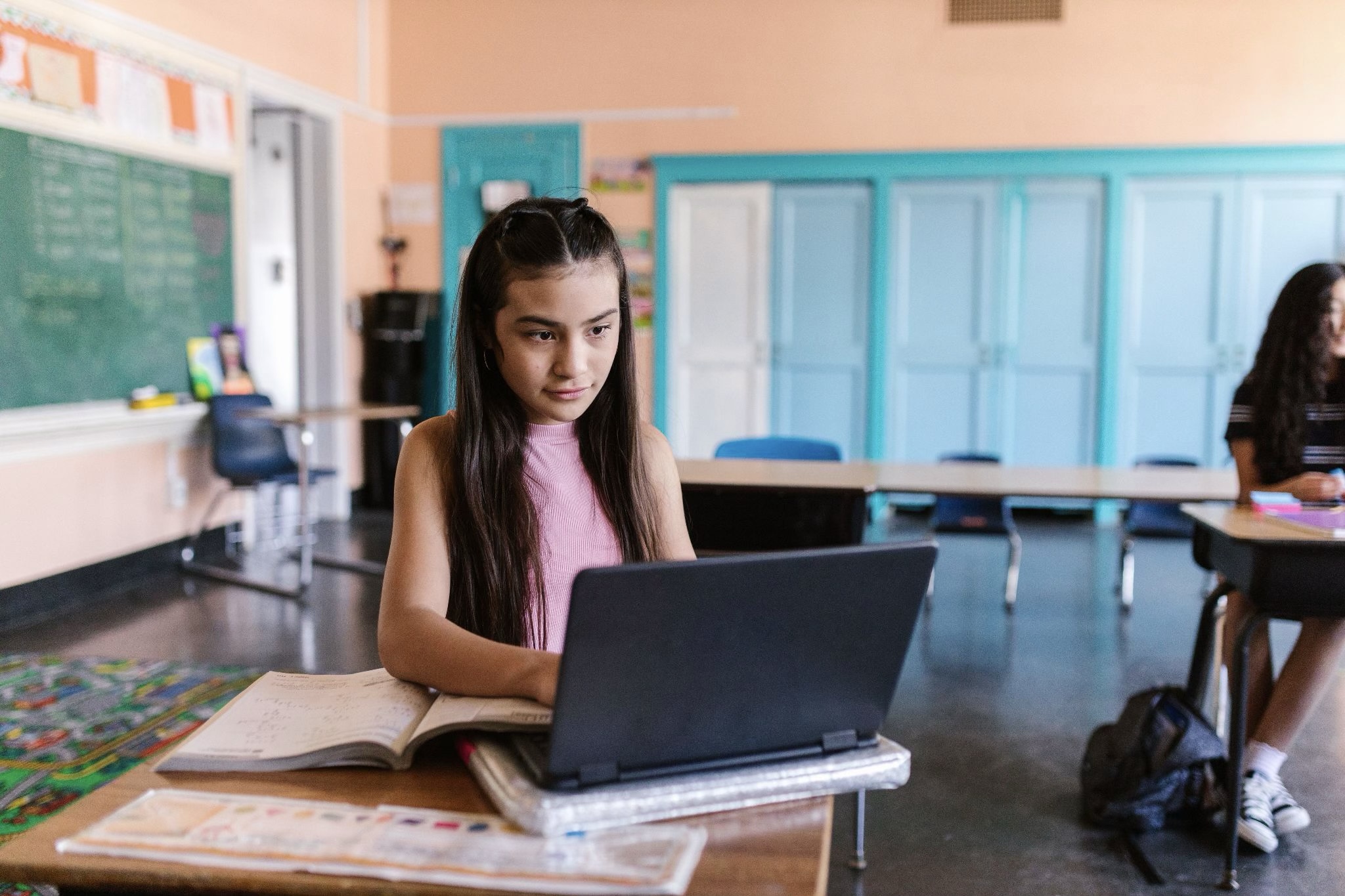
How Students Grow Digital Literacy Skills for a Safer Online Future
For busy parents and caregivers of middle school students and high school students, screens can feel like a daily negotiation with unclear rules and high stakes. The tension isn’t just screen time, it’s the mix of online safety challenges students face, from misinformation and privacy missteps to social pressure that follows them home. At the same time, modern school technology education is shifting from basic computer use toward digital literacy skill-building that helps students make smarter choices in real situations. When schools and families share a common language around responsible technology habits, digital life becomes more manageable.
Understanding What Digital Literacy Really Includes
Digital literacy is more than knowing which app to open. It means students can use technology safely, effectively and responsibly while also practicing online safety, critical thinking, and respectful digital communication. In daily schoolwork, “good” looks like choosing appropriate tools, checking sources, protecting personal information, and collaborating clearly.
This matters because these habits shape what students click, share, and believe when no adult is watching. Strong digital literacy helps them avoid privacy mistakes, spot questionable claims, and handle group projects without drama or misunderstandings.
Picture a student building a slide deck from online articles. They pause to evaluate information, cite sources, and rewrite a summary in their own words. Then they message teammates with clear roles and timelines instead of vague texts. With those basics in place, AI assisted visuals can become a safe, teachable storytelling tool.
Build Stronger Multimedia Presentations With AI-Generated Visuals—Responsibly
Once students understand the building blocks of digital literacy, they can start using them together in the kinds of media they actually share and present. Multimedia presentations give students a place to blend research with visuals, audio, and collaborative storytelling, so a topic isn’t just “reported,” it’s explained in a way an audience can follow. For example, a team might write a short narrative script based on what they’ve found, then design supporting visuals by using a text-to-image tool like this free AI picture generator for class presentations. Students can start with a clear written description, then refine what the tool produces by adjusting style, lighting, color, mood, and composition, or by adding reference images to guide the look.
Just as importantly, they practice evaluating what they generate, checking for accuracy, noticing possible bias or stereotypes, and choosing images that fit the assignment’s expectations for appropriate use. From there, the same skills carry into more structured classroom projects where the work is built and improved together.
Teach → Practice → Collaborate → Reflect
To keep these skills growing, use a simple, repeatable rhythm. This workflow helps students move from learning concepts to applying them in real digital spaces, then improving with feedback. It matters because online safety is less about one “perfect” lesson and more about steady habits that transfer across apps, assignments, and group work.
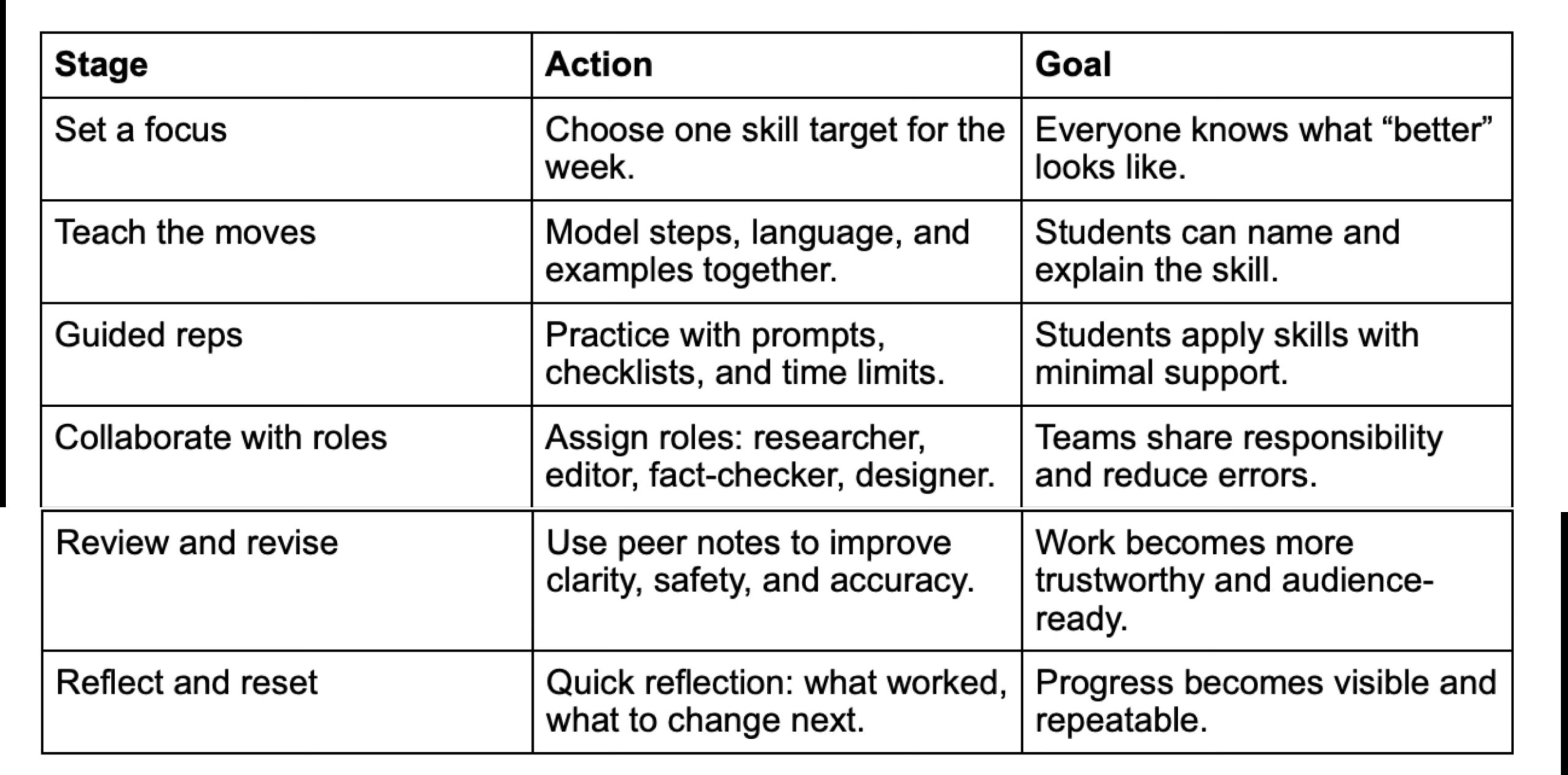
This sequence builds momentum: instruction creates a shared standard, practice makes it usable, and teamwork reveals gaps students miss alone. Regular review and reflection turn mistakes into teachable patterns, which is why schools increasingly invest in tools that support engagement across projects, reflected in the growing student engagement platform market.
Small Digital-Safety Habits Students Can Repeat
Digital literacy sticks when it becomes automatic, not occasional. These small practices turn safety, accuracy, and kindness into default behaviors students can carry across new apps and group projects.
Pause Before You Post
Weekly Privacy Check-In
Two-Source Verification
Co-Use Screen Time
Tech-Free Reset Window
Build Digital Literacy Habits That Keep Students Safe and Ready
Screens aren’t going away, and families often feel caught between learning opportunities and real online risks. The most reliable path forward is a shared, steady approach, schools modeling responsible digital citizenship through educational technology, and families reinforcing the same expectations at home. Over time, students gain the benefits of digital literacy: better judgment, stronger communication, and future-ready digital skills that prepare them for confident technology use. Digital literacy turns everyday screen time into safer choices and stronger futures.
Emily Graham
Emily is the creator of MightyMoms.net. She believes being a mom is one of the hardest jobs around and wanted to create a support system for moms from all walks of life. On her site, she offers a wide range of info tailored for busy moms — from how to reduce stress to creative ways to spend time together as a family. You can email her at emilygraham@mightymoms.net. She lives in Arizona.


